


As organizations grow and increase their customer base, they may struggle to offer quality customer support. A knowledge base can help lighten the workload for customer support teams and enable customer success via self-support channels.
A customer support or customer-oriented knowledge base — a library of information that lets customers find answers to their questions — increases support team productivity by reducing the number of support tickets. At its core, a good customer support strategy integrates case avoidance, so customers can help themselves, and case management to create and manage tickets if customer self-service channels fail. Organizations can use knowledge base software to improve customer self-service and case avoidance efforts.
What customer support knowledge base software does
Customer support knowledge base software can incorporate planned technical documentation as well as content from responses to customer support tickets. The knowledge base centralizes and organizes support articles and policies, helping customers and customer support agents find answers. It reduces the need for support personnel to answer the same questions repeatedly by providing support information on a customer-accessible self-service website.
In its 2025 report, “Market Guide for Customer Service Knowledge Management Systems,” Gartner noted: “By 2028, 40% of large enterprises will adopt AI-powered customer service knowledge automation solutions.” AI can process an enterprise’s existing knowledge content as well as customer interactions with the knowledge base and the support team to surface additional content drafts for human review.
Benefits of a knowledge base
Knowledge base products let organizations create and manage educational content, such as FAQ pages and articles, for customers. These systems organize content with hierarchical and ad hoc metadata. Knowledge bases can benefit organizations in the following ways:
- Increased customer satisfaction. With a knowledge base, customers don’t need to open a case and wait for support personnel to respond. Instead, customers can find answers to questions on their own. This self-service empowers customers and, in turn, increases brand loyalty. Organizations can improve customer retention rates if they offer customers FAQ pages and other types of educational content to help them quickly answer their own questions.
- Improved satisfaction and productivity for customer service reps. Knowledge bases can answer simple questions for customers, such as “How do I change my subscription options?” or “How do I change my password?” which enables support teams to focus on more complex cases. This arrangement can also improve agent job satisfaction and productivity.
- Improved team member onboarding. Knowledge bases can store material to help train support teams. These systems may contain simple materials, such as instructions on how to use a phone system, or more complex materials, such as prerecorded role-playing exercises for support teams. Employees can also find answers to frequently asked customer questions within a knowledge base.
- Customer analytics. As customers interact with a knowledge base, the system collects data, such as behavioral data and explicit feedback in the form of comments. Organizations can then analyze this data to gain a deeper understanding of customers’ issues.
- AI can help tune the system. AI can organize unwieldy legacy content sets with hierarchical metadata. It can also process the existing customer support knowledge base articles and support case interactions. AI can generate draft knowledge base articles for support and technical documentation teams to validate, edit and add to the knowledge base. Finally, AI can help manage the knowledge base content lifecycle, aiding in retiring outdated content.
Top customer support knowledge base platforms
An organization’s size and goals determine which knowledge base products best suit its needs. Before organizations evaluate knowledge base products, they must consider the following questions about their content lifecycle:
- How will employees write, edit and publish the content?
- How will customers consume it?
- How will the organization evaluate content for relevance and utility, and revise or retire it?
This article examines eight of the top customer support knowledge base platforms. The following knowledge base products were chosen based on either direct experience or product demonstrations of the tools. The list of vendor products appears in alphabetical order.
Document360
Document360 is a platform designed to help companies manage documentation, including standard manuals, but also customer support knowledge bases. The company was only 18 months old when, in June 2022, it started to release AI-powered features. It now includes AI-powered search, an AI chatbot, intelligent categorization and interactive decision trees. It can also generate audio versions of articles and article summaries. It gathers customer use and feedback information to help authors focus on content improvements.
Authoring in Document360 can either be WYSIWYG or in Markdown. A drag-and-drop category manager allows content librarians or authors to easily maintain content organization. Duplicate content detection helps the content team avoid duplicate, or worse, conflicting content.
Pricing for Document360 is quoted based on the number of workspaces, languages, accounts and projected AI usage.
Freshworks Freshdesk and Freshdesk Omni
Freshworks has a suite of tools to manage IT services and assets. Its support platform Freshdesk is a ticket helpdesk that includes a customer-support knowledge base along with its helpdesk capabilities.
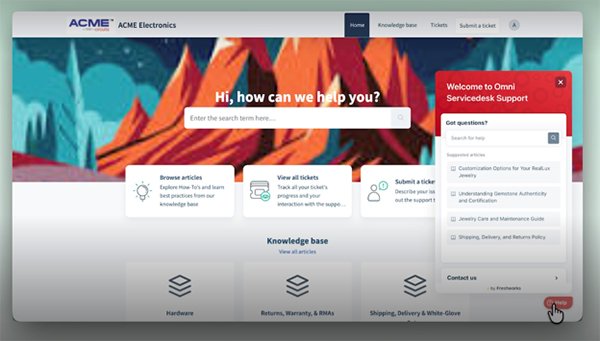 This Freshworks demo shows a sample customer support interface.
A higher-end product, Freshdesk Omni, adds multichannel support — such as email, live chat, AI-based chat, phone and social media — and the ability to create a library of AI help agents to the capabilities of Freshdesk.
Freshdesk and Freshdesk Omni appeal to teams in need of helpdesk capabilities as well as a customer support knowledge base.
Prices for Freshdesk start at $19 per agent per month when purchased annually. Freshdesk Omni starts at $29 per agent per month, billed annually.
Helpjuice
Helpjuice is a customer support knowledge base that includes FAQs, help articles and documentation. It can be used for internal or external support.
The platform’s AI capabilities include AI-powered search and AI-assisted authoring, including assistance in creating tutorials. The system also has an AI chatbot as well as AI-generated tagging and knowledge base analytics. Helpjuice includes multilingual support, either through AI translation or through translations you provide.
Since Helpjuice is a dedicated knowledge base company, it does not include help desk or CRM capabilities. However, it supports 100 integrations, including with help desk and CRM platforms — such as Salesforce, Zendesk and Freshdesk — as well as with communication tools, like Slack and Microsoft Teams. Helpjuice might be an interesting option for those who have an existing help desk or CRM platform that has a knowledge base that does not meet their requirements.
Pricing ranges from $249 to $799 a month, with the lowest tier limited to 30 users. AI capabilities start at a middle tier of $449 a month.
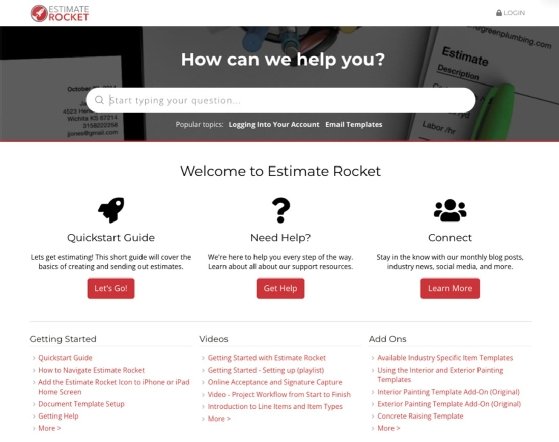
HubSpot Knowledge Base
HubSpot, best known for its CRM offering, has built a suite of customer relationship products around sales and support, including a knowledge base, as part of its Service Hub platform Professional and Enterprise plans.
The tool offers an analytics reporting dashboard that can show users how many times customers clicked on an individual article, how much time they spend reading the article and how satisfied they were with it based on explicit feedback scores. The knowledge base also offers SEO suggestions to help users create content that users can find easily.
Pricing for HubSpot’s Service Hub Professional starts at $90 per agent per month paid annually. The Enterprise tier starts at $150 per agent per month. The Service Hub comes with support for both human and AI agents, and considerable integration with the rest of HubSpot’s features. Organizations that can benefit from HubSpot’s industry-leading sales and marketing functions can get the most from this product.
Salesforce Knowledge
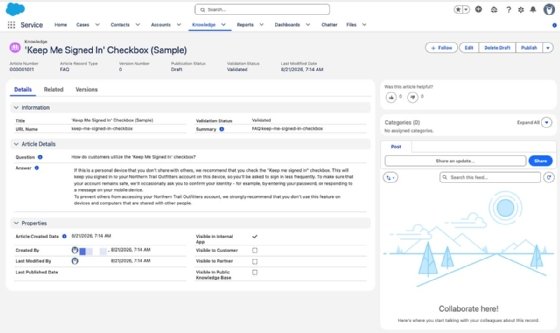
Salesforce includes its customer support knowledge base Salesforce Knowledge with higher tiers of its Service Cloud. Salesforce Knowledge is designed to aid the support team, with subsets of content made available for customer self-service applications. As with most AI-enabled knowledge bases, search on Salesforce Knowledge is based on the user’s intent, not on keyword search. The platform has robust authoring capabilities, including templates and version history, as well as organizational tools, such as nested folders, tagging and dynamic collections. It also provides analytics, including on zero-result searches, article views and ratings.
Salesforce Knowledge is designed to integrate smoothly with Salesforce’s other key offerings of CRM, support ticketing, chat and AI agents, with the goal of keeping Salesforce CRM Content up to date.
Salesforce Service Cloud offers several pricing tiers. Salesforce Knowledge is included in some pricing plans, but it’s an additional cost in other editions. It is clearly an enterprise product, and unlikely to attract small and medium size businesses.
ServiceNow Knowledge Center
ServiceNow has a powerful and configurable cloud-based option to manage IT service portfolios, into which its Knowledge Center is usually deployed. It fits best with enterprises with a large number of service offerings and may be overly complex for smaller enterprises, or those with a short list of products or services. The ServiceNow Knowledge Center software organizes content with hierarchical metadata tagging and runs in the cloud as a SaaS product.
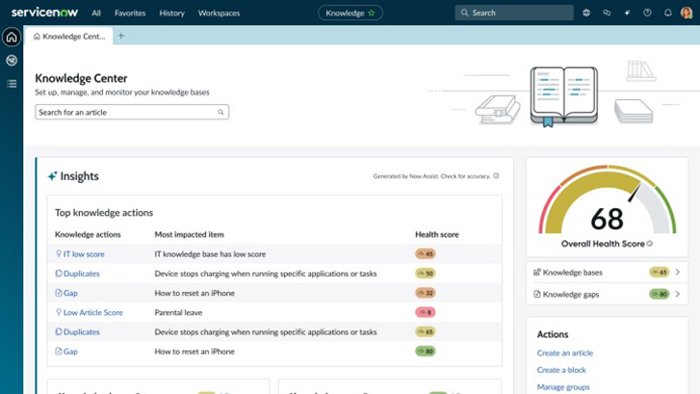 This sample ServiceNow UI shows knowledge base content ratings.
Because it is feature rich, ServiceNow has a steep learning curve, which can add some risk to an organization’s investment in it. The product does not have discussion board capabilities, and its lack of full-text search means users may struggle to find information.
ServiceNow is designed and priced for larger enterprises, which must also configure and customize ServiceNow to their own workflows and use cases. The tool offers a high degree of configurability. AI provides scores of the quality of content and assists in authoring to improve content and help authors focus on knowledge demand and feedback management based on cases and incidents.
Pricing information is not readily available on the vendor’s website.
Zendesk Knowledge
Zendesk’s multi-channel customer support offering, Zendesk Suite, includes a knowledge base tool called Zendesk Knowledge. The knowledge base offers an easy-to-use and visually appealing interface for both authoring and reading content, as well as integration with the Zendesk support ticketing system. The tool incorporates discussion boards, which let customers ask each other questions to find answers that aren’t in the knowledge base. It also lets users search text documents for specific words and phrases to help them find what they need.
Zendesk Suite uses AI to harvest content from a company’s website into support article drafts that an agent can edit and publish. Additionally, Zendesk Knowledge includes a chatbot that responds to customer questions based on information in the knowledge base.
Zendesk Suite includes email, live chat and phone support. The product’s knowledge base and support system integration can help lighten service agents’ workloads, as it enables customers to find answers on their own. Zendesk says its agentic AI can solve up to 80% of customer cases.
Zendesk can benefit organizations of all sizes. However, for organizations that aren’t in the market for sales or support desk software, the Zendesk Suite might include too many unnecessary features.
Pricing for Zendesk’s suite team offering starts at $55 per agent monthly when paid annually and $69 per agent when paid monthly. With additional features, pricing goes up to $115 per agent monthly when paid annually and $149 per agent when paid monthly.
Zoho Desk
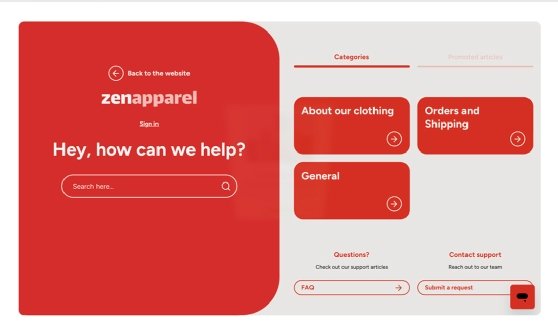
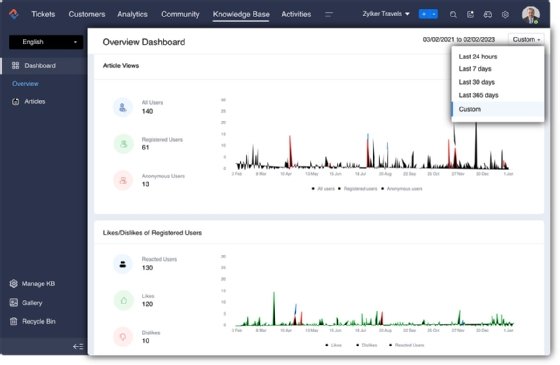
Zoho Desk is a comprehensive customer platform that includes several self-support tools including a multi-lingual knowledge base supporting 50 languages with automated translation, a community forum, low-code chatbots and guided conversations. Authoring in the knowledge base includes AI-generated proposed text, based on the text of support chats, as well as authoring templates and version control. Dashboards display article view and customer like metrics to help the content team focus on what customers use and what they see as problematic.
Pricing for Zoho Desk Standard, including the knowledge base, is $14 per user per month if purchased annually, and rises to $40 per user per month billed annually with the Zoho Desk Enterprise plan. Zoho Desk has one of the lowest entry costs and comes with integration with its CRM and office (mail, calendar, documents) suites.
How to choose the right platform
Organizations should evaluate their customer support knowledge base needs and how those needs might evolve over time. While one product may satisfy an organization in the short term, another option may offer smoother integrations with ticketing, support tracking systems and CRM. Buyers must assess how customizable each product is, so they can choose one that meets current needs and can scale up to meet future requirements.
However, businesses planning complex integrations with CRM systems or planning to build a service portal around the knowledge base should start small. These organizations could start with the simpler and cheaper products and graduate to more powerful suites when they demonstrate the value of the knowledge base and confirm their need for expanded capabilities.
As with any IT project, it is important to gather a prioritized list of requirements. For example, do you need ticketing and case management tools to be integrated with the customer support knowledge management system for customer self-service and case deflection? Do you need to automate support communication across social media platforms using information from the knowledge base?
Once you have documented your requirements, use them to whittle down to a short list of three to five vendors whose platforms might be a fit for the organization. With these vendors, a series of discussions should lead to demos and an RFP process, and then a pilot. While this may seem like too many steps, and too slow, a customer support knowledge base is likely to be an expensive IT project, and getting it wrong could harm customer relationships as well as the long-term cost of ownership.
Jordan Jones is a writer versed in enterprise content management, component content management, web content management and video-on-demand technologies.